Full View
Similar items
2.4G Wireless Game Controller For Xbox One/Series S/X, PS3/PC Joystick, Vibration Feedback Gaming Joypad With Receiver
€48.00
€75.26 -36% OFF

Switch Bluetooth controller PS3 PC PC360 Android 5-in-1 wireless Bluetooth controller
€48.46
€51.64 -6% OFF
EasySMX X05Pro Charging Dock Controller For PC/Switch/Phone, Silent Button, 1000mAh Battery, Hall Joystick, RGB,
€64.39
€89.27 -27% OFF
For Xbox One,Xbox Seris S,Xbox Series X Pc Wireless Gamepad Console Dual Vibration With Six-Axis Turbo Gyroscope Game
€42.07
€47.77 -11% OFF
Wireless Bluetooth Game Controller-Hall Joystick RGB Programmable Buttons Vibration Feedback Gamepad For
€86.11
€107.43 -19% OFF
ECHTPower Wireless Controller Gamepad For Switch 2/PC Dark Gray
€45.52
Wireless Gamepad For Xbox One ,Xbox Sis S/X/Pc Xbox Controlle Console Dual Vibra With Six Axis Gyroscope Game
€37.24
GuliKit ES E-sports Bluetoth Controller,Wireless Gamepad With Hall Effect Joystick For NS ,Nintendo Switch 2 ,PC Windows
€47.37
€67.49 -29% OFF
Switch Bluetooth controller PS3 PC PC360 Android 5-in-1 wireless Bluetooth controller
€41.03
€43.22 -5% OFF
Wireless gaming console controller 2.4G USB receiver
€15.74
€20.71 -23% OFF
Suitable for Nintendo Switch/LED/lite/PC wireless Bluetooth controller with Turbo vibration NFC function
€59.64€91.41
Product Color : black

Quantity :

Report
Include copyright infringementFree Standard Shipping. See details
Estimated between Sun, Aug 9 and Fri, Aug 21
You can return the product within 30 days of receipt. See details
Shop with confidence

Money Back Guarantee
Get the item you ordered or your money back. Learn more
About this item
Sourced from TTnumeral
Seller assumes all responsibility for this listing.Item number: 22319206
Item specifics
Connection
Bluetooth
Compatible Brand
Nintendo, Atari, Playstation 5
Item description from the seller
1. Connect Bluetooth to the switch host
A. Press and hold for about 3 seconds, and flash channel lights 1-4 to Bluetooth matching mode.
B. Open the switch console, click on the "Handle" icon on the console homepage, then click "Change Handle/", and wait for the handle to connect.
C. After successful connection, you can directly press the main button to wake up the host and connect the handle back.
2. Connect to the switch host
A. Select the settings, controllers, and sensors at the bottom of the switch console's main interface to ensure that the option status is normal;
B. When the handle is opened, connect the handle and the host to the OTG conversion head and data cable;
C. Led1 indicator flashing, handle successfully connected. After successful connection, unplug the data cable handle and it will connect independently.
D. If a switch base is used for development, the handle base can be directly connected to the data cable. After successful connection, unplug the data cable handle and it will connect on its own.
E. If the current connected handle is a P-2 handle, then Led1+Led2 is long and bright.
Product Name: Switch Full Function Wireless Bluetooth Handle SW778
Compatible devices: Switch/switch lite/switch oled/PC
Function:
1. NFC function
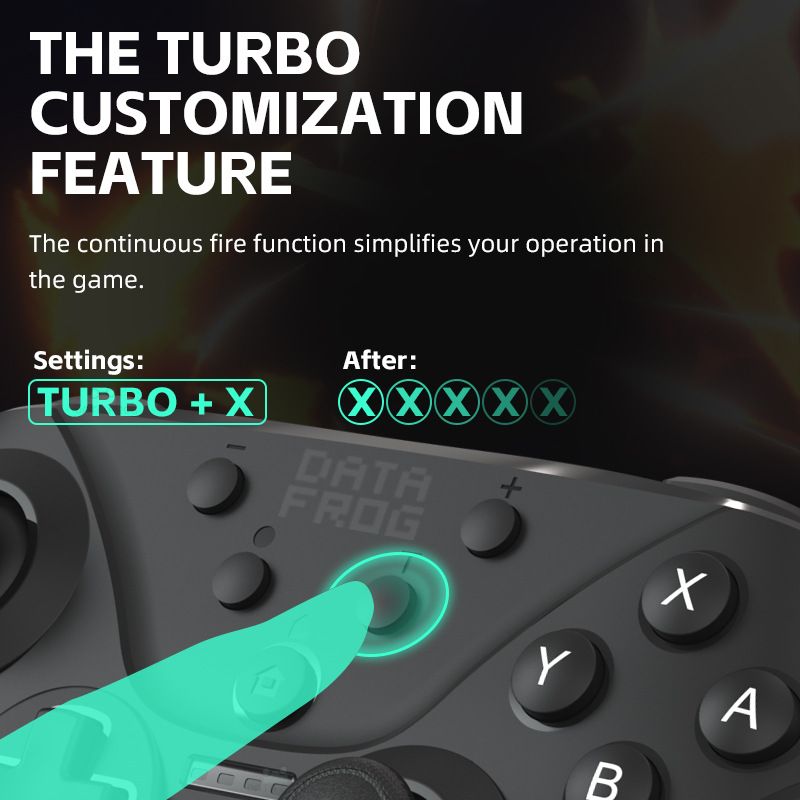
2. Turbo function
3. Vibration adjustment function
4. D-Input and X-Input functions
5. Six axes
6. With LED lights
7. Interface: TYPE-C interface
Battery capacity: With a built-in 600mAh battery capacity, it only takes 2-3 hours to charge and can last for about 10 hours
Product weight: 220g
Product size: 170 * 110 * 40mm